To use Alexa or Google Assistant as your sous-chef, start by setting up and optimizing your device in the kitchen. Link it with smart appliances, enable relevant skills or apps for recipes, timers, and ingredient tips, and position it for clear voice pickup. Use voice commands to access step-by-step instructions, control timers, and manage smart gadgets hands-free. For more tips on maximizing your voice assistant’s kitchen potential, explore the full guide below.
Key Takeaways
- Set up and position your device centrally in the kitchen for clear voice recognition and easy access.
- Install relevant cooking skills or actions for step-by-step recipes, timers, and ingredient substitutions.
- Use voice commands to access recipes, adjust cooking techniques, and customize meal plans hands-free.
- Manage timers, reminders, and control smart appliances with simple voice commands for efficiency and safety.
- Troubleshoot device issues and optimize settings for better performance and seamless kitchen integration.
Setting Up Your Voice Assistant in the Kitchen

Have you ever wondered how to get your voice assistant ready for cooking tasks? The first step is setting up your device properly. Confirm your voice recognition is accurate by enabling the relevant language and speech settings. Check device compatibility; not all smart speakers work seamlessly with every kitchen gadget. Connect your voice assistant to your Wi-Fi network and update the firmware to the latest version for peak performance. Position your device in a central, accessible spot in the kitchen where it can clearly hear commands without obstruction. Linking your voice assistant to your preferred smart home ecosystem can enhance functionality. Additionally, consider integrating smart appliances that can be controlled via voice commands to streamline your cooking process. Ensuring your device is configured to recognize your voice profile can improve command accuracy and responsiveness. Regularly updating your device’s software and keeping it connected to a stable network ensures your voice assistant remains reliable and responsive. Taking steps to optimize device placement can further improve voice recognition accuracy and overall performance. Incorporating voice command routines can also help automate common cooking tasks for added convenience. Once set up, you’ll be ready to control your kitchen hands-free, making your cooking experience more efficient and enjoyable.
Finding and Installing Cooking-Related Skills and Actions

Once your voice assistant is set up and ready to go, the next step is to find and install the cooking-related skills and actions that will turn it into a helpful kitchen helper. Start by exploring the app store or skill marketplace for options designed for cooking safety and accurate voice recognition. To get you started, here are three ideas:
Enhance your kitchen safety with cooking skills that offer recipe guidance, timers, and ingredient tips.
- Search for skills that offer step-by-step recipe guidance, ensuring safe cooking practices.
- Install timers and alerts to help you monitor cooking times without touching your device.
- Find skills that provide ingredient substitutions or measurements, minimizing mishaps in the kitchen.
- Consider exploring integrated kitchen technology that seamlessly connects smart appliances and enhances your cooking precision, supporting sustainable and secure European cloud solutions. Additionally, look for voice recognition accuracy features to improve your overall experience and safety while cooking.
Using Voice Commands to Access Recipes and Cooking Tips
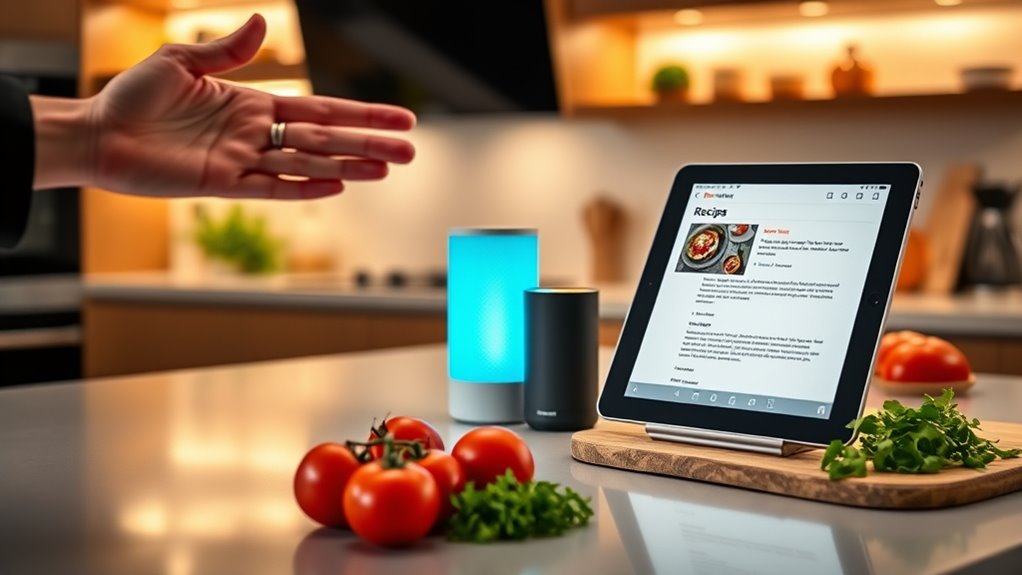
Using voice commands to access recipes and cooking tips allows you to stay hands-free and focused on your kitchen tasks. You can ask your device for step-by-step instructions, ingredient substitutions, or cooking techniques without stopping. If you have specific dietary preferences, such as gluten-free or vegetarian, just specify them to receive tailored recipe suggestions. Voice commands also let you explore recipe customization options easily, ensuring dishes suit your taste and needs. For example, you might say, “Alexa, find a vegan pasta recipe” or “Hey Google, give me quick dinner ideas with chicken.” This hands-free approach keeps your workflow smooth, reduces mess, and helps you discover new culinary ideas while staying engaged with your cooking. Thermal behavior can also be monitored through connected devices, providing real-time feedback to improve your cooking precision. Additionally, many smart assistants can connect with recipe apps to personalize your meal planning, making your cooking experience more efficient and enjoyable. Incorporating smart home integration enhances your culinary experience by automating reminders and adjusting kitchen devices to optimize your cooking environment. You might also consider using kitchen sensors that help maintain ideal cooking temperatures and prevent overcooking.
Managing Timers and Reminders Hands-Free

With voice-activated timer control, you can easily start, pause, or reset timers without stopping your hands. Setting reminders remotely allows you to stay on track even when you’re away from your device. Managing multiple alerts guarantees you never forget a step or meal, keeping everything running smoothly. Incorporating evidence-based insights ensures your routines are both effective and reliable. Additionally, using voice command technology can enhance the accuracy and efficiency of your routines, making your smart assistant a true kitchen partner. Utilizing passive voice detection can also help identify and improve your writing clarity, ensuring your instructions are straightforward and engaging. Implementing navigation and mapping features can further optimize your routines by enabling your devices to adapt to your evolving kitchen setup. Employing planning frameworks can further optimize your meal preparation and routine management.
Voice-Activated Timer Control
Managing timers and reminders hands-free becomes effortless when you leverage voice commands with Alexa or Google Assistant. With voice activated timer control, you can set, pause, or cancel timers without interrupting your cooking. Here’s how it works:
- Say, “Set a timer for 10 minutes,” to start a countdown without touching your device.
- Use commands like, “Pause the timer,” or “Resume the timer,” to manage ongoing countdowns easily.
- Ask, “What’s my timer status?” to check remaining time without manual checks.
This hands free countdown management keeps your focus on cooking, not on fiddling with devices. It’s perfect for multitasking in the kitchen, ensuring your dishes are perfectly timed every time.
Setting Reminders Remotely
You can stay organized in the kitchen by setting reminders remotely through Alexa or Google Assistant, allowing you to focus on your cooking without missing important tasks. Simply use voice commands to create reminders for timers, grocery lists, or upcoming steps. This hands-free approach keeps your workflow smooth and efficient. Keep in mind that voice assistant privacy is important, so review your settings to control what data is shared. You can also customize voice commands to make reminders more intuitive and tailored to your routine. For example, setting specific phrases for different reminders helps you manage multiple alerts easily. By leveraging these features, you guarantee your kitchen stays on track without interrupting your cooking flow or worrying about privacy concerns. Understanding at-home beauty tech can help you optimize your device usage for better results. Additionally, familiarizing yourself with voice assistant privacy settings ensures you maintain control over your personal information while benefiting from these helpful features. Smart home integration further enhances your efficiency, making your kitchen a seamless hub of technology and convenience. A user consent management approach ensures your privacy preferences are respected while using these remote reminder features.
Managing Multiple Alerts
Handling multiple timers and reminders simultaneously becomes effortless when using Alexa or Google Assistant hands-free. With voice recognition technology, you can manage several alerts without interrupting your workflow. For example:
- Say, “Set a timer for 10 minutes for the pasta,” and immediately follow with, “Remind me to check the oven in 20 minutes.”
- Use commands like “Cancel all timers,” or “Reschedule the dessert reminder,” to stay organized.
- Keep in mind privacy concerns, as these devices listen constantly; ensure your voice commands are secure and your data protected.
This hands-free management minimizes disruptions, allowing you to focus on cooking while your Assistant keeps track of every alert seamlessly.
Discovering Ingredient Substitutions and Shopping Lists

When a recipe calls for an ingredient you don’t have on hand, voice assistants like Alexa or Google Assistant can quickly suggest suitable substitutions. Just ask, and they’ll provide options based on common ingredient substitutions, helping you keep cooking without extra trips. They can also add missing items directly to your shopping lists, saving you time and effort. As you discuss your meal, say, “Add eggs and milk to my shopping list,” and your assistant will update it instantly. This way, you stay organized, and your shopping list grows accurately with what you need. Using voice commands for ingredient substitutions and shopping lists streamlines your cooking process, making it easier to adapt recipes and ensure you have everything at hand before you start cooking.
Controlling Smart Kitchen Devices With Voice Commands

Controlling your smart kitchen devices with voice commands makes cooking more efficient and convenient. You can adjust your oven, start your coffee maker, or turn on the lights without lifting a finger. With seamless device integration, hands-free cooking control becomes an effortless part of your routine.
Smart Device Integration Made Easy
Integrating your smart kitchen devices with Alexa or Google Assistant is simpler than ever, allowing you to manage appliances seamlessly through voice commands. To get started, guarantee your devices are compatible and support voice privacy features. Here’s how to make it work smoothly:
- Check device compatibility to confirm your appliances work with your chosen assistant.
- Set up voice privacy settings to protect your conversations while controlling devices.
- Use the associated app to link devices, enabling easy voice command control.
Once set up, you can turn on lights, adjust thermostats, or start your coffee maker with simple voice instructions. This integration streamlines your kitchen routine, making it more efficient without sacrificing privacy or compatibility.
Hands-Free Cooking Control
With voice commands, you can effortlessly manage your smart kitchen devices while cooking, keeping your hands free for meal prep. Simply ask Alexa or Google Assistant to turn on the oven, adjust the lights, or start a timer. Ensuring device compatibility is key—double-check that your appliances work with your chosen assistant. While this hands-free control is convenient, consider voice privacy; be aware of what you’re sharing when issuing commands. Many devices have privacy settings to help protect your information. By integrating compatible smart devices with your voice assistant, you streamline your cooking process and stay focused on your meal. This seamless control makes cooking more efficient, safer, and more enjoyable.
Tips for Maximizing Your Voice Assistant’s Effectiveness While Cooking

To get the most out of your voice assistant while cooking, it’s essential to be specific and clear with your commands. Clear instructions help avoid misunderstandings and ensure smooth operation. To maximize effectiveness, follow these tips:
For best results, be specific and polite with your voice commands during cooking.
- Use precise language and avoid slang to improve voice recognition.
- Be mindful of voice assistant etiquette by saying “please” and “thank you”—it keeps interactions polite.
- Consider privacy considerations by limiting sensitive commands or information shared during cooking sessions.
Troubleshooting Common Issues During Kitchen Use
Even with the best preparation, issues can arise when using voice assistants in the kitchen. One common problem is voice recognition failure, where your device doesn’t understand your commands. To fix this, speak clearly and ensure you’re within range. Also, check your device’s microphone for dust or obstructions. Device compatibility can also cause trouble; some commands might not work if your device isn’t fully compatible with certain apps or smart kitchen gadgets. Make sure your voice assistant and connected devices are updated to the latest software versions. If issues persist, resetting your device or reconnecting it to Wi-Fi can help. Remember, troubleshooting often involves adjusting settings and verifying compatibility to keep your kitchen running smoothly.
Frequently Asked Questions
Can I Use Multiple Voice Assistants Simultaneously in the Kitchen?
Yes, you can use multiple voice assistants simultaneously in the kitchen with a multi assistant setup. However, be aware of potential voice command conflicts, as both assistants might respond to similar triggers or questions. To avoid confusion, customize each device’s wake words and set clear boundaries for their roles. This way, you can enjoy the benefits of both assistants without frustration or accidental activations.
How Secure Is My Personal Data When Using Voice Assistants During Cooking?
Your personal data remains fairly secure with voice assistants, thanks to data encryption that protects your information. However, always be aware of voice recognition accuracy, as misinterpretations can lead to unintended sharing of details. To stay safe, use secure Wi-Fi networks, review privacy settings regularly, and limit sensitive information shared through voice commands. This way, you can enjoy your kitchen time confidently while keeping your data protected.
Are There Privacy Concerns With Voice Assistants Listening in the Kitchen?
Imagine your kitchen filled with the aroma of spices, but lurking behind the scenes are privacy risks. Voice assistants constantly listen, capturing conversations that could be used for data collection. While they’re helpful, you should be aware of potential privacy concerns, like unintended recordings or data sharing. To protect yourself, review privacy settings regularly and mute devices when not in use, ensuring your cooking remains personal and secure.
Can Voice Assistants Recognize Different Voices for Personalized Responses?
Yes, voice assistants can recognize different voices for personalized responses. Using advanced voice recognition technology, they identify each user and tailor their replies accordingly. This means you can ask for specific recipes, reminders, or updates without mixing up responses with others in the household. By enabling voice profiles, you guarantee a more seamless, personalized experience, making your kitchen interactions smarter and more efficient.
How Do I Update or Upgrade My Voice Assistant’s Cooking Skills?
Imagine your kitchen transforming into a culinary classroom—your voice assistant becomes the expert chef. To upgrade its cooking skills, you simply need to check for voice assistant updates and skill upgrades. Open your app, navigate to settings, and look for software updates or skill additions. Installing these guarantees your device learns new recipes, techniques, and tips, making every meal an exciting, new adventure with your upgraded virtual sous-chef guiding you step-by-step.
Conclusion
With a voice assistant by your side, cooking becomes as smooth as a well-choreographed dance. From finding recipes to managing timers, you’ll streamline your kitchen tasks effortlessly. Just speak your commands and let your device handle the rest. It’s like having a reliable sous-chef who’s always ready to assist. Embrace these tools, and you’ll transform your cooking experience into something easier, smarter, and more enjoyable—making every meal feel like a culinary masterpiece in the making.