Start by checking if your dishwasher is plugged in and the circuit breaker hasn’t tripped. Inspect the door latch and lock assembly to make sure it’s fully engaged and the lock switch has continuity. Test the control panel and touch interface for responsiveness. Confirm there are no loose wires or power surges. If you still see issues, examining the main control board and door switch with a multimeter can reveal faults—these steps will guide you through more solutions if needed.
Key Takeaways
- Reset the dishwasher by unplugging it for at least one minute, then reconnecting to clear electronic glitches.
- Verify the door latch and lock mechanism are fully engaged and functioning properly.
- Check the power outlet, circuit breaker, and wiring for damage or tripping to ensure proper electrical supply.
- Inspect the control panel, buttons, and display for responsiveness or damage, and reset if needed.
- Test internal components like the door switch and control board with a multimeter for continuity and proper operation.
Check the Power Source and Circuit Breaker

Before troubleshooting your smart dishwasher, you should check the power source and circuit breaker. Make sure the dishwasher is plugged in securely and that the outlet provides power. Plug a different device into the outlet to verify it’s working. Next, open your circuit breaker panel and look for the breaker connected to the dishwasher. If it’s tripped, reset it by flipping it off and then back on. A tripped breaker often causes the dishwasher to stay unresponsive. Also, check for any signs of damage or burn marks around the breaker. If the breaker trips repeatedly after resetting, there could be an electrical issue or overload. Ensuring a stable power supply is essential for your smart dishwasher’s electronic components and connectivity. Additionally, verify that your home’s electrical system can support the high power demands of modern appliances to prevent future issues. It’s also helpful to consult Electrical System Capacity guidelines to ensure safe operation. Properly evaluating your electrical system can help prevent overloads that may trip breakers unexpectedly, and considering the electrical wiring health can further ensure safe and reliable appliance function.
Inspect the Door Latch and Lock Assembly
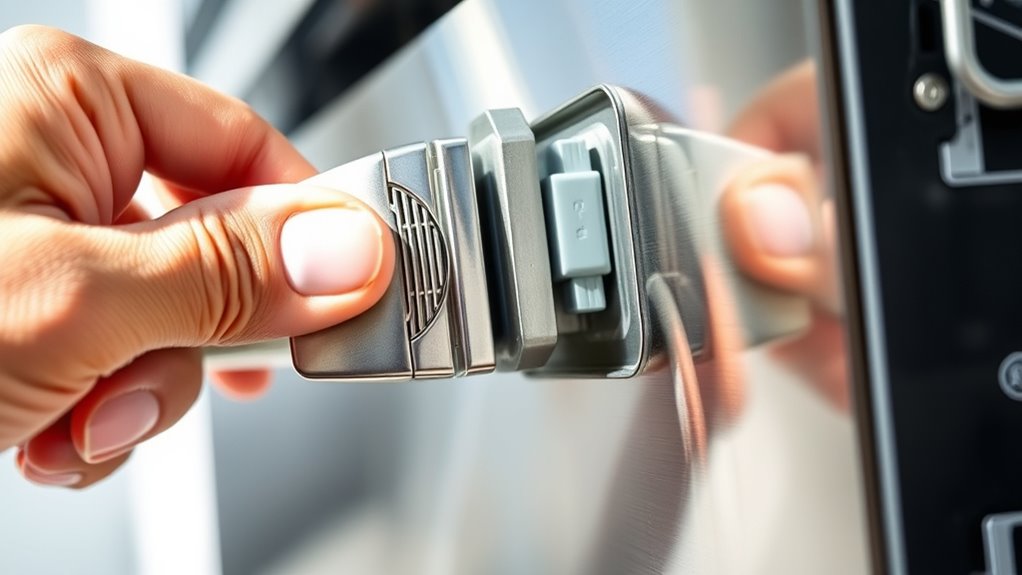
Start by checking if the door latch is fully engaged and secure. Use a multimeter to test the lock mechanism’s continuity and verify it’s functioning properly. If the latch or lock assembly isn’t working correctly, it can prevent your dishwasher from starting. Ensuring the door latch is clean and free of debris can also help maintain proper operation. Additionally, regularly inspecting the door latch assembly can prevent future malfunctions. Considering the importance of electrical components in appliances, maintaining electrical parts like the latch assembly can help prevent electrical failures that might hinder operation. Checking the connection points of the latch assembly can also identify hidden issues that disrupt the circuit.
Check Door Latch Function
A faulty door latch or lock assembly is a common reason a smart dishwasher won’t start, as the appliance’s safety mechanism prevents operation if the door isn’t fully secured. First, open the door and inspect the latch for visible damage or debris that could interfere with locking. Use a multimeter set to Rx1 to test the door switch for continuity; a reading of zero or infinite resistance indicates a problem. Ensure the latch engages properly when you close the door. If it feels loose or doesn’t click into place, it may need replacement. Confirm that the lock assembly’s electronic sensor is functioning correctly, as a malfunction can prevent the dishwasher from starting even if the latch appears intact. Addressing latch issues often restores proper operation. Additionally, ventilation considerations can impact the overall safety and functionality of the appliance. Proper ventilation helps prevent overheating and ensures that electronic components operate within safe temperature ranges. Regularly checking the electronic sensors can also help identify issues early before they cause a complete failure.
Test Lock Mechanism
How can you determine if the door latch and lock assembly are causing your dishwasher not to start? First, open the door and inspect the latch for damage or debris. Use a multimeter set to Rx1 to test the lock switch for continuity—clicks or resistance readings indicate proper function. If the latch feels loose or doesn’t fully engage, it may be faulty. Also, listen for a click when closing the door; if it doesn’t latch securely or triggers an error code on your display, the lock assembly might be malfunctioning. Ensure the door switch and lock assembly are properly aligned and not obstructed. Replacing a faulty lock assembly often resolves start issues caused by safety interlock failures. Confirm all connections are secure before testing or replacing components. Additionally, inspecting the navigation and mapping of the door latch mechanism can help identify misalignments that prevent proper engagement. Being aware of common electronic component issues can also assist in diagnosing underlying problems with the lock system. It’s helpful to also check the power supply to ensure the dishwasher is receiving consistent voltage, as electrical issues can mimic latch problems. It’s also helpful to check the door’s mechanical alignment to ensure it closes correctly and activates the latch properly.
Test the Control Panel and Touch Interface

When troubleshooting the control panel and touch interface on your smart dishwasher, the first step is to check for responsiveness and proper operation. You want to see if the buttons respond when pressed or if the display reacts to your touch. Look for any physical damage, such as cracks or stuck buttons, that could interfere with function. Also, observe if the control panel lights flicker or remain unlit, indicating communication issues. To test, press each button and watch for corresponding responses on the display or indicator lights. If the panel is unresponsive or erratic, it might need cleaning or replacement. Keep in mind that moisture or dirt can cause poor contact, so verify the panel is clean and dry before proceeding. Additionally, wave and wind can sometimes affect the electronic components, so ensure the dishwasher is installed in a well-ventilated, protected area. Proper electronic component protection is essential to prevent issues caused by environmental factors and to maintain optimal performance. Regularly inspecting and maintaining the control panel connections can also help prevent future malfunctions. Ensuring the electronic connections are secure and free of corrosion is a key step in maintaining your dishwasher’s reliable operation. Furthermore, testing the touch interface with a multimeter can help identify underlying electrical issues that may not be immediately visible.
Verify Smart Features and Connectivity Settings

If your control panel responds normally but the dishwasher still won’t start, the issue might lie in the smart features or connectivity settings. First, check that WiFi is connected correctly and that your smartphone app shows the dishwasher as online. Restart your router and reconnect the dishwasher to ensure a stable connection. Confirm that the dishwasher isn’t in Sleep or Standby mode, and disable any active Demo Mode. Review app settings to ensure no conflicts or restrictions are enabled. If the smart features aren’t functioning, reset the connection by disconnecting power briefly, then reconnect. Also, verify that any delay start or timer functions aren’t active, as these can prevent immediate operation. Ensuring proper connectivity and settings can resolve smart feature-related start issues. Additionally, consulting the manufacturer’s troubleshooting guides for smart appliance troubleshooting can provide targeted solutions. Checking the wireless network stability and ensuring the dishwasher’s firmware is up to date can also help resolve connectivity problems. For persistent issues, verify that the smart system components inside the dishwasher are functioning correctly, as internal hardware failures can also impact start functionality. Regularly reviewing firmware updates can prevent many connectivity issues before they occur.
Examine the Main Control Board and Electronic Components

Start by inspecting the control board connections to verify they haven’t come loose or become damaged. Use a multimeter to test key electronic components for continuity and proper function. Address any faulty connections or parts before moving on to further troubleshooting.
Inspect Control Board Connections
To verify your smart dishwasher’s control board is functioning properly, you need to carefully examine its connections and electronic components. Start by unplugging the unit to prevent shocks. Look for loose, disconnected, or corroded wires on the control board. Check the plug-in connectors for secure fit and damage. Inspect the wiring harness for frays or burns that could disrupt power. Ensure all ribbon cables and connectors are snug and properly seated. Visualize:
- Wires visibly loose or disconnected
- Corrosion or rust on connectors
- Burn marks or melted plastic on cables
- Bent or broken pins in connectors
These issues can prevent the control board from receiving or transmitting signals correctly. Addressing loose or damaged connections often fixes start-up problems without replacing the entire board. Materials and fuel primers can help you identify potential sources of electrical issues related to wiring and connections.
Test Electronic Components
After verifying the control board connections, it’s important to test the electronic components to confirm they’re functioning properly. Use a multimeter set to DC volts to check the main control board’s voltage outputs, ensuring they match manufacturer specifications. Inspect the wiring harnesses for loose or damaged plugs, especially on the display and relays. Test the door switch with a multimeter in Rx1 mode to verify it closes properly. Check relays and transformers for continuity, and look for signs of burnt or damaged components on the control board. If a component shows inconsistent readings or no response, it likely needs replacement. Remember, proper testing can pinpoint whether electronic failure prevents the dishwasher from starting or if further troubleshooting is necessary.
Reset the Dishwasher Using Power Cycling and Manufacturer Procedures
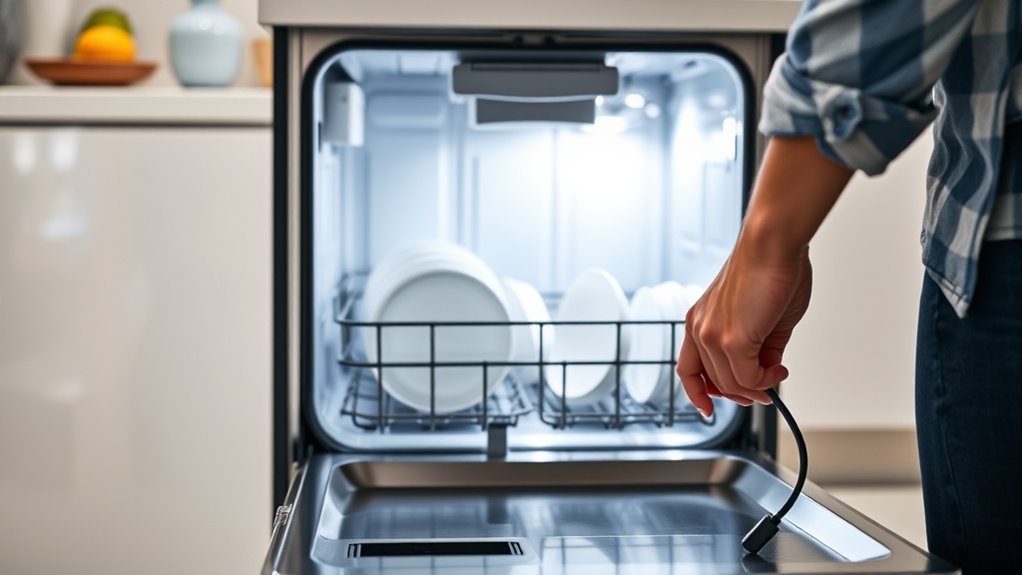
Resetting your smart dishwasher through power cycling is often the quickest way to fix minor electronic glitches. To do this, unplug the appliance from the power source, wait at least one minute, then plug it back in. This simple step can reset internal electronics and clear temporary faults. For more thorough resets, consult your manufacturer’s manual for specific button combinations or procedures, which might involve pressing and holding certain buttons simultaneously. Visualize these steps:
Unplug your dishwasher, wait a minute, then plug it back in to reset and clear minor glitches.
- Unplugging the power cord with a firm grip
- Waiting patiently as the display dims
- Pressing specific buttons as instructed
- Listening for a reset chime or indicator light
Following these steps helps restore normal operation without needing complex repairs, making power cycling a reliable first fix for start-up issues.
Assess the Door Switch With a Multimeter

When diagnosing a door switch issue, using a multimeter is one of the most effective methods to determine if the switch is functioning properly. First, unplug your dishwasher to ensure safety. Access the door switch, usually located near the door latch. Set your multimeter to Rx1 or continuity mode. Disconnect the wiring harness from the switch. Touch the multimeter probes to the switch terminals. If the switch is working, you should hear a beep or see a reading indicating continuity when the door is closed. If there’s no continuity or the multimeter shows an open circuit, the switch is faulty and needs replacing. Testing the switch confirms whether it’s preventing the dishwasher from starting due to an open or broken circuit.
Look for Power Surges or Wiring Issues

Power surges and wiring issues are common causes of startup problems in smart dishwashers. Surges can damage sensitive control boards, while loose or damaged wiring disrupts power flow. To troubleshoot, start by inspecting the power cord and plug for damage. Check the circuit breaker to ensure it hasn’t tripped. Examine wiring connections at the dishwasher’s terminal block, looking for looseness or corrosion. Use a multimeter to verify consistent voltage supply. Visualize the scenario with these images:
- Frayed wires behind the panel
- Tripped circuit breaker in the electrical panel
- Burn marks or scorch spots on the power cord
- Loose wire connections at the terminal block
Addressing these issues helps restore a stable power supply, ensuring your dishwasher can start properly.
Confirm No Error Codes or Fault Indicators Are Displayed

Before attempting to troubleshoot your smart dishwasher, verify that no error codes or fault indicators are displayed on the control panel. Error codes often signal specific issues, guiding your next steps. Check the digital display or status lights for any flashing icons, numbers, or messages. If you see a fault indicator, consult the user manual or manufacturer’s website to interpret the code. Clearing error messages without addressing the underlying problem won’t fix the start issue. Make sure the display is functioning correctly and not showing persistent error alerts. If there are error codes, note them down. Confirm that no safety or fault indicators are illuminated, as these could prevent the dishwasher from starting until the problem is resolved.
Replace Faulty Components and Reassemble

You need to identify any damaged or faulty components, then carefully replace them to restore proper function. Make sure to reconnect all wires securely and double-check that everything is secured in place. Once reassembled, test your dishwasher to verify it starts correctly and operates smoothly.
Identify and Replace Damaged Parts
When diagnosing a faulty smart dishwasher, identifying and replacing damaged parts is a critical step to restoring proper function. You’ll want to carefully inspect key components for signs of wear or damage. Look for melted wiring, cracked circuit boards, or broken door latches. Use your multimeter to check continuity on switches and relays. Once you’ve pinpointed the faulty part, remove it following safety procedures. Replace it with an exact matching component to guarantee compatibility. Take care to reconnect wiring securely and verify connections before reassembling. Visualize the process as restoring a delicate system—each part plays a crucial role in operation. Key steps include:
- Examining wiring harnesses for corrosion or breaks
- Testing control board connections with a multimeter
- Replacing damaged door latch or lock assembly
- Ensuring all connectors are snug before reassembly
Reconnect and Secure Components
After identifying the faulty parts, the next step is to reconnect and secure all components properly to guarantee your dishwasher operates safely and reliably. Ensure all wiring connections are tight and correctly seated. Check that the door latch, control panel, and electronic boards are firmly reattached. Use a multimeter to verify continuity where needed. Secure loose wires with wire connectors or electrical tape. For safety, disconnect power before reassembling. Properly fit panels and covers to prevent gaps or pinched wires. Confirm that all screws are tightened to hold components in place. Double-check connections against the manufacturer’s diagram. This step prevents future issues and ensures your dishwasher functions correctly without electrical or mechanical faults.
| Component | Connection Status | Secured Properly? |
|---|---|---|
| Power Cord/Wiring | Tight and correctly seated | Yes / No |
| Door Latch & Switch | Firmly attached | Yes / No |
| Control Panel Cables | Properly connected | Yes / No |
| Electronic Boards | Securely mounted | Yes / No |
| Panel Covers | Fully fastened | Yes / No |
Frequently Asked Questions
How Can I Tell if a Thermal Fuse Has Blown?
You can tell if the thermal fuse has blown by using a multimeter set to Rx1. First, unplug the dishwasher and locate the fuse, usually behind the control panel or near the heating element. Disconnect the fuse wires and test for continuity. If the multimeter shows no continuity, the fuse has blown and needs replacing. A blown fuse interrupts power, preventing your dishwasher from starting.
What Does It Mean if the Control Panel Is Unresponsive?
When your control panel becomes unresponsive, it often signals a deeper issue lurking beneath the surface. You might be facing a faulty touch-sensitive panel, a disrupted connection, or a power glitch. First, check for power supply stability and make sure the control lock isn’t activated. If the lights still don’t respond, you may need to reset the system or replace the touch panel to restore full functionality.
How Do I Reset a Smart Dishwasher With a Stuck Door?
To reset your smart dishwasher with a stuck door, first unplug it from the power source. Wait at least one minute to allow the system to reset. Then, carefully check the door latch and lock assembly for any obstructions or damage. If the latch is stuck or damaged, you may need to replace it. Afterward, reconnect the power and test the door to see if it opens and closes smoothly.
Can Wifi Issues Prevent the Dishwasher From Starting?
WiFi issues can definitely prevent your smart dishwasher from starting. When the connection drops, the control board can’t communicate with your app or sensors, blocking the cycle. You might notice error messages or unresponsive controls. To fix this, check your WiFi signal, restart your router, and reconnect your dishwasher. Ensuring a stable connection restores communication, allowing your dishwasher to start smoothly, just like a steady stream flowing without interruption.
What Are Signs of a Failing Main Control Board?
You’ll notice your dishwasher’s main control board is failing if it stops responding to commands, displays error codes, or shows flickering or blank screens. You might also see unexpected cycle behaviors, such as starting or stopping randomly. If the dishwasher won’t start despite power, or if it’s making unusual noises, these could be signs. Testing with a multimeter for voltage issues and inspecting for visible damage helps confirm the problem.
Conclusion
If your smart dishwasher refuses to start, think of it as a puzzle waiting to be solved. By checking the power, door latch, control panel, and electronics, you’re the detective piecing together clues. With patience and a careful eye, you’ll restore its rhythm like a conductor bringing harmony back to your kitchen symphony. Don’t give up—sometimes, the smallest fix makes the biggest difference. Keep troubleshooting, and your dishwasher will be singing its clean song again.