
If your Keurig K-Mini is not brewing a full cup, it can be frustrating. This common issue often stems from mineral buildup, clogs, or water reservoir problems. Fortunately, with some simple troubleshooting steps, you can restore your coffee maker’s performance and enjoy your favorite brew again.
Follow this guide to diagnose and fix the problem safely and effectively, ensuring your Keurig works like new.
Key Takeaways
| Common Causes | Mineral deposits, clogs, or water reservoir issues. |
| Regular Maintenance | Descale regularly to prevent buildup. |
| Check Water Reservoir | Ensure it’s filled and seated properly. |
| Clean the Needle and Brewer | Remove blockages for a full cup. |
| Use Proper Filters | Reusable filters can help improve flow. |
Step 1: Check the Water Reservoir
- Unplug the Keurig for safety.
- Remove the water reservoir and inspect it for any blockages or debris.
- Refill with fresh, clean water, ensuring it’s seated correctly.
Step 2: Descale Your Keurig
Mineral deposits can clog the internal parts, causing incomplete brews. Use a descaling solution or a mixture of white vinegar and water to clean the machine.
- Pour descaling solution into the water reservoir as per instructions.
- Run a brew cycle without a K-Cup, then repeat with plain water to rinse.
Step 3: Clean the Needle and Brew Path
Clogged needles or brew paths can restrict water flow. Carefully clean the needle with a paperclip or a needle cleaning tool, ensuring no debris blocks the water passage.
- Turn off and unplug the machine.
- Use a paperclip to clear any clogs in the needle.
- Run a water-only brew cycle to check flow.
Step 4: Check for Blockages and Correct Placement
Ensure the K-Cup or reusable filter is correctly placed. Misalignment can cause incomplete fills. Remove and reinsert the K-Cup, ensuring it’s secure and properly seated.
Tips and Warnings
- Always unplug your Keurig before cleaning or maintenance to avoid electric shock.
- Use only recommended descaling solutions or vinegar to prevent damage.
- Regularly descale every 3-6 months to maintain optimal performance.
The Products in This Guide

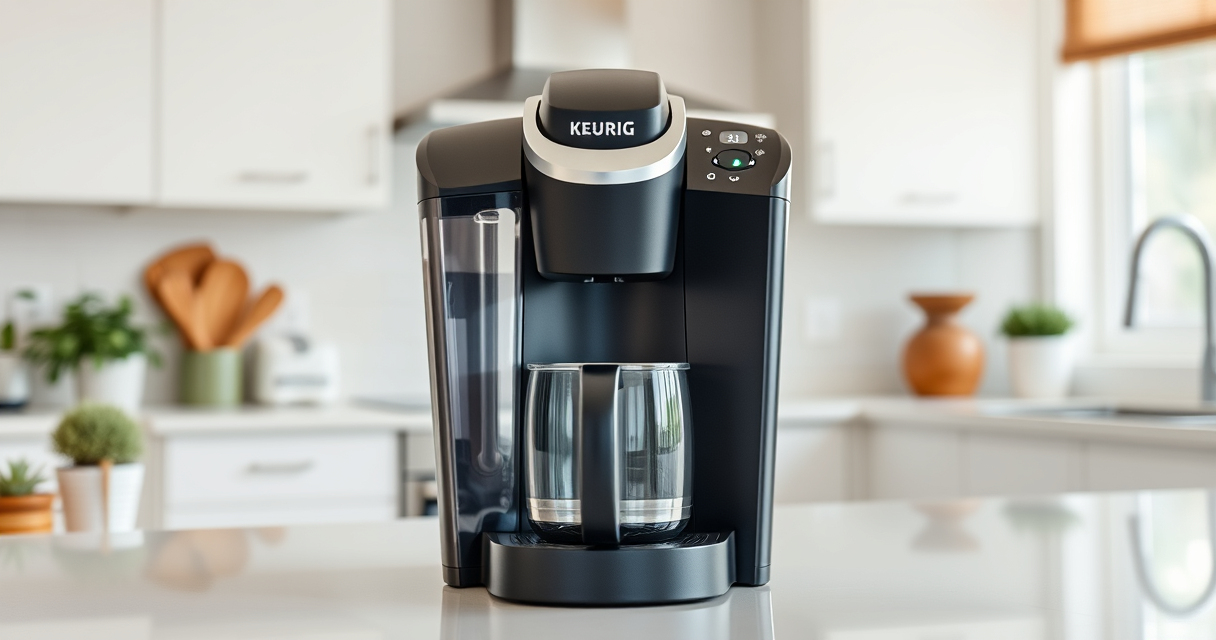
Keurig K-Mini Single Serve K-Cup Pod Coffee Maker
- ✔ Dimensions: 12 x 4.5 x 11 inches
- ✔ Weight: 5 pounds
- ✔ Capacity: Removable water reservoir

My K-Cup® Reusable Coffee Filter
- ✔ Dimensions: 3 x 2 x 2 inches
- ✔ Weight: 2 ounces
- ✔ Material: Plastic and metal
Keurig K-Mini Single Serve K-Cup Pod Coffee Maker
The Keurig K-Mini is perfect for small spaces and offers quick, fresh brews with minimal fuss. Its simple design makes troubleshooting straightforward.
Pros:
- Compact size fits small spaces
- Brews quickly between 6-12oz
- Removable drip tray for travel mugs
- Energy-efficient auto-off
Cons:
- Limited water reservoir capacity
- No built-in frother
- Requires regular descaling for optimal performance
Best for: Small kitchens, dorm rooms, offices
Not ideal for: Users needing large brew capacity or advanced features
Bottom line: A compact, reliable coffee maker ideal for small spaces.
My K-Cup® Reusable Coffee Filter
The My K-Cup reusable coffee filter allows you to brew your favorite ground coffee in your Keurig. It’s a great way to customize your brew and reduce waste.
Pros:
- Brews with ground coffee
- Eco-friendly reusable design
- Easy to clean
- Compatible with multiple Keurig models
Cons:
- Requires measuring grounds
- Less convenient than K-Cups
- May need frequent cleaning
Best for: Users wanting to brew ground coffee
Not ideal for: Those preferring pre-packaged K-Cups
Bottom line: A versatile reusable filter for personalized coffee brewing.
Frequently Asked Questions
Why is my Keurig not brewing a full cup?
Common reasons include mineral buildup, clogged needles, or water reservoir issues. Following proper cleaning and descaling can often resolve this.
How often should I descale my Keurig?
It’s recommended to descale every 3 to 6 months, or more frequently if you notice brewing issues or mineral buildup.
Can I use my own ground coffee in the Keurig?
Yes, using a reusable filter like the My K-Cup allows you to brew your own ground coffee, providing more flavor options.
Is it safe to run vinegar through my Keurig?
Yes, vinegar can be used as a descaling agent. Rinse thoroughly with water afterward to prevent any taste residue.
Restore Your Keurig’s Performance with Simple Steps
By following these troubleshooting tips—checking water levels, descaling, cleaning the needle, and ensuring proper placement—you can resolve most issues with your Keurig K-Mini not brewing a full cup. Regular maintenance will keep your coffee maker operating smoothly, giving you delicious brews every time.
Affiliate disclosure: As an Amazon Associate we earn from qualifying purchases. Prices and availability are accurate as of the time of publishing.