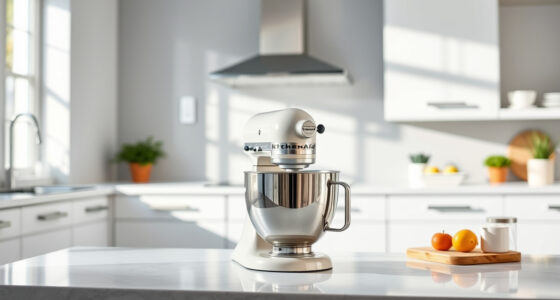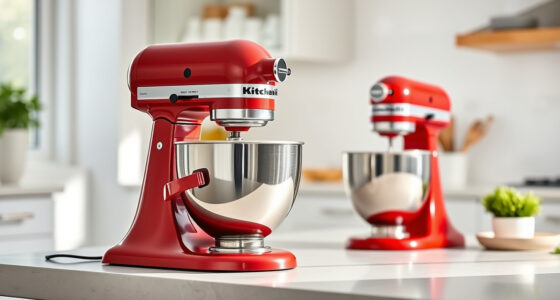

Getting your new KitchenAid Artisan Series 5 Quart Tilt Head Stand Mixer ready for use is straightforward, but it’s important to follow the correct setup procedures to ensure safety and optimal performance. This guide walks you through the essential steps, tips, and troubleshooting advice so you can start baking and mixing with confidence.

Get kitchen gear delivered free — and shop member deals
- Fast, free delivery on millions of items
- Access to Prime Big Deal Days deals on October 6–7
- Prime Video, Amazon Music and more included
Whether you’re a first-time user or upgrading from an older model, understanding how to properly assemble, attach accessories, and maintain your mixer will help you get the most out of this durable, versatile appliance.
Key Takeaways
| Easy setup process | Follow clear, step-by-step instructions for assembly. |
| Secure attachment | Properly attach accessories for safe operation. |
| Regular maintenance | Keep your mixer clean and check for issues. |
| Troubleshooting tips | Identify common problems and solutions. |
Unboxing and Initial Inspection
- Carefully remove the mixer from its packaging, ensuring all parts are present, including the tilt-head, stainless steel bowl, pouring shield, and any included accessories.
- Inspect the unit for any signs of damage or missing components. Confirm that the power cord is undamaged.
- Read the user manual thoroughly to familiarize yourself with the parts and safety instructions.
Assembling Your Mixer
- Place the mixer on a stable, flat surface near an electrical outlet.
- Lift the tilt-head by gripping the handle and tilt it back to access the bowl area.
- Insert the stainless steel bowl into the base, aligning it with the fitment. Turn or click into place if necessary.
- Attach the flat beater, wire whip, or dough hook as needed, aligning the attachment with the drive hub and pressing down until it clicks securely.
Attaching Accessories and Using the Mixer
- Choose the appropriate attachment for your recipe—such as the flat beater for batters or the dough hook for bread dough.
- Attach the accessory firmly onto the drive hub, ensuring it clicks into place.
- Lower the tilt-head carefully and lock it in place by pressing the tilt-lock lever.
- Pour ingredients into the bowl, using the pouring shield when necessary to prevent splatters.
Operating Your Mixer Safely
- Set the speed gradually from 1 to 10, starting low to avoid splashing.
- Monitor the mixing process, especially during high speeds like whipping or beating.
- Never run the mixer empty or with the bowl improperly attached.
- Turn off and unplug the mixer before removing attachments or cleaning.
Cleaning and Maintenance
After use, detach the accessories and wash them with warm, soapy water or place dishwasher-safe parts in the dishwasher. Wipe down the mixer body with a damp cloth, avoiding abrasive cleaners. Regularly check the power cord and plug for damage, and keep the mixer in a dry, cool place. Periodically inspect the drive hub and attachments for wear or buildup.
Troubleshooting Common Issues
- Mixer not turning on: Ensure it’s plugged in securely and the power outlet is working.
- Attachments not rotating: Check if the attachment is properly seated and the tilt-head is locked.
- Unusual noises or vibrations: Stop the mixer and verify all parts are correctly assembled and nothing is obstructing movement.
The Products in This Guide

KitchenAid Artisan Series 5 Quart Tilt Head Stand Mixer
- ✔ Bowl Size: 5 Quart
- ✔ Weight: 26 pounds
- ✔ Dimensions: 14 x 8 x 14 inches

KitchenAid Stand Mixer Attachment
- ✔ Attachment Size: Standard
- ✔ Material: Metal
- ✔ Compatibility: KitchenAid mixers
KitchenAid Artisan Series 5 Quart Tilt Head Stand Mixer
<p>The KitchenAid Artisan Series 5 Quart Tilt Head Stand Mixer is built with durable metal construction and offers 10 speeds for nearly any task. Its tilt-head design provides easy access to the bowl, making ingredient addition and cleaning straightforward. With a 5-quart stainless steel bowl, it handles small or large batches with ease, making it a versatile kitchen essential.</p>
Pros:
- Durable metal construction
- Multiple speed options
- Tilt-head for easy access
- Includes pouring shield
Cons:
- Can be heavy to move
- Some accessories sold separately
Best for: Home bakers and cooking enthusiasts needing reliable, versatile mixing
Not ideal for: Small kitchens with limited counter space
Bottom line: A durable, versatile mixer ideal for a variety of baking needs.
KitchenAid Stand Mixer Attachment
<p>The KitchenAid Stand Mixer Attachment Food Grinder allows you to process meats, vegetables, and more with ease. Powered by your existing mixer, it offers multiple grinding plates and sausage stuffer tubes, making it an excellent addition for those who want to diversify their recipes. Its sturdy metal design ensures durability.</p>
Pros:
- Multiple grinding plates
- Large food tray
- Sturdy metal build
- Easy to attach and clean
Cons:
- Requires separate purchase
- Needs pre-chilling for best results
Best for: Homemade sausage, ground meats, and fresh grinding needs
Not ideal for: Small kitchens or occasional users
Bottom line: A durable, versatile attachment perfect for fresh grinding and sausage making.
Frequently Asked Questions
How do I attach accessories to my KitchenAid mixer?
Align the attachment with the drive hub, push it into place, and turn slightly if needed until it clicks securely. Always ensure the mixer is unplugged before attaching or detaching accessories.
Can I run the mixer continuously for long periods?
While the KitchenAid Artisan mixer is designed for durability, avoid running it continuously for extended periods to prevent overheating. Follow manufacturer guidelines for operational limits.
How do I clean the mixer and its attachments?
Detach all accessories and wash them with warm, soapy water or place dishwasher-safe parts in the dishwasher. Wipe down the mixer body with a damp cloth and avoid abrasive cleaners.
What should I do if the mixer is not turning on?
First, check that it is properly plugged into a working outlet. Ensure the tilt-head is locked in place. If it still doesn’t start, inspect the power cord for damage or contact customer support.
Are the attachments dishwasher safe?
Most attachments like the flat beater, wire whip, and dough hook are dishwasher safe. However, check the specific product manual for cleaning instructions, especially for optional accessories.
Start Baking with Confidence
With your KitchenAid Artisan Series mixer properly set up and your accessories ready, you’re all set to create a variety of delicious baked goods and recipes. Regular maintenance and careful handling will ensure your mixer remains a trusted kitchen companion for years to come. Happy baking!
Affiliate disclosure: As an Amazon Associate we earn from qualifying purchases. Prices and availability are accurate as of the time of publishing.
Halloween Picks
halloween
As an affiliate, we earn on qualifying purchases.