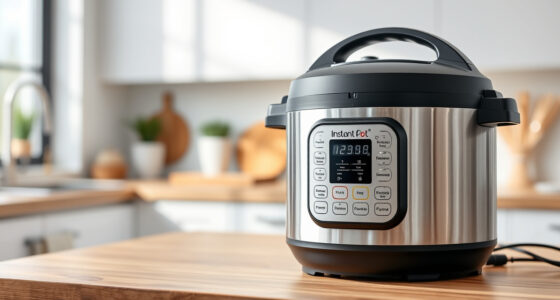
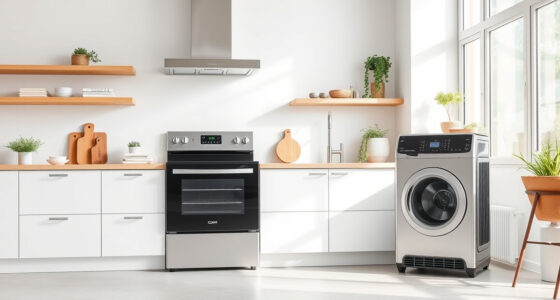
To keep your connected appliances running smoothly longer, regularly check for firmware updates to enhance performance and fix bugs. Familiarize yourself with user manuals for troubleshooting tips and maintenance practices. Proactively monitor for issues and perform simple fixes. Maintain energy efficiency by cleaning filters and guaranteeing proper sensor function. Finally, verify a strong Wi-Fi signal to avoid connectivity issues. Stick around to discover more tips that can optimize your smart home experience.

Get kitchen gear delivered free with Prime
- Fast, free delivery on millions of items
- Prime Video, Amazon Music and more included
- Member-only deals all year
Key Takeaways
- Regularly check for firmware updates to enhance performance and security, preventing connectivity issues.
- Utilize user manuals for troubleshooting tips and maintenance guidance to resolve minor problems quickly.
- Engage in proactive troubleshooting by monitoring appliances for unusual behavior and addressing issues early.
- Maintain energy efficiency by cleaning filters and checking sensor functionality to optimize performance and extend appliance lifespan.
- Ensure a strong Wi-Fi signal by repositioning the router or using extenders to prevent connectivity disruptions.

As technology evolves, connected appliances have become fundamental in our daily lives, making it essential to keep them running smoothly. These devices, from smart refrigerators to energy-efficient washing machines, offer convenience and efficiency, but they can also pose challenges. To guarantee they serve you well, adopting smart maintenance practices is a must.
First off, regularly checking for firmware updates is critical. Manufacturers often release updates to improve functionality, fix bugs, or enhance security. Neglecting these updates can lead to connectivity issues that disrupt your daily routine. Make it a habit to check for updates through the appliance’s app or the manufacturer’s website. You’ll find that staying updated can enhance your appliance’s performance considerably. Staying informed about the latest smart home technology developments can also help you optimize your device usage.
Next, familiarize yourself with your user manuals. They’re your best friends when it comes to understanding features, settings, and maintenance requirements. User manuals often contain troubleshooting tips that can save you time and prevent minor issues from escalating. If you encounter a problem, don’t overlook these resources. They can guide you through simple fixes, assuring your appliances run efficiently. Additionally, understanding device compatibility can help ensure your appliances work seamlessly with other smart home devices. A good grasp of software updates can also improve your ability to troubleshoot and maintain your devices effectively.
Speaking of troubleshooting, be proactive about identifying potential problems. If your dishwasher starts making strange noises or your smart thermostat isn’t responding, don’t wait for the issue to worsen. Use the troubleshooting tips from your user manual and online forums dedicated to your specific appliance. Often, you’ll find that many issues have straightforward solutions that don’t require professional assistance. Regularly monitoring device performance can help catch issues early before they lead to more significant problems.
Additionally, consider the energy efficiency of your connected appliances. Regular maintenance can help them operate at peak performance, saving you money on energy bills. Clean filters, check for blockages, and verify sensors are working properly. These small actions can make a big difference in how efficiently your appliances perform. Proper maintenance not only extends the lifespan of your appliances but also contributes to overall energy savings.
Furthermore, understanding the importance of firmware updates and their role in maintaining security can help prevent vulnerabilities in your connected devices. Regularly updating your devices can also ensure you have access to the latest features and improvements. Lastly, connectivity issues can be a common headache with smart appliances. Confirm your Wi-Fi signal is strong and stable, as many appliances rely on a good connection for their features. If you notice your devices lagging or disconnecting frequently, try repositioning your router or consider investing in a Wi-Fi extender. Regularly checking your network’s performance can also prevent these issues from recurring.
smart appliance firmware update kit
As an affiliate, we earn on qualifying purchases.
As an affiliate, we earn on qualifying purchases.
Frequently Asked Questions
Can I Use a Surge Protector With Connected Appliances?
Yes, you can use a surge protector with connected appliances. In fact, it’s a smart move for appliance safety. Surge protectors can shield your devices from voltage spikes, preventing potential damage and extending their lifespan. By investing in a quality surge protector, you’re not only protecting your appliances but also enjoying the benefits of a safer home environment. Just make certain the protector’s rated for your specific appliances to guarantee maximum protection.
How Do I Reset My Connected Appliance?
If your connected appliance feels like it’s throwing a tantrum, don’t panic! You can easily reset it. First, locate the reset button—usually hidden like a treasure. If there’s no button, unplug it for a minute and plug it back in. For more stubborn devices, consult your manual for specific reset methods. Immerse yourself in appliance troubleshooting by checking the app or website for additional tips. You’ll be back in business in no time!
Are There Specific Apps for Appliance Management?
Yes, there are specific apps for appliance management that enhance your smart home experience. Many of these apps let you monitor energy usage, helping you manage costs effectively. You can control appliances remotely, schedule operations, and receive alerts for maintenance. Popular options include SmartThings, Google Home, and Apple HomeKit. By using these apps, you’ll guarantee your connected appliances run efficiently and stay in top shape longer.
What Should I Do if My Appliance Disconnects Frequently?
If your appliance disconnects frequently, don’t worry—it’s a common issue. Start by checking your Wi-Fi connection; weak signals can cause disconnections. Next, restart both the appliance and your router. If that doesn’t work, look for firmware updates in the app. You might also want to reposition your router for better coverage. These troubleshooting tips can help you regain a stable connection and enjoy your appliance without interruptions.
How Often Should I Update My Appliance’s Firmware?
You should aim to update your appliance’s firmware every three to six months. Regular updates enhance performance and security, maximizing firmware benefits. If your manufacturer releases an update, don’t hesitate to install it, as it often fixes bugs or adds new features. Keeping your appliance’s firmware current helps it run smoothly and efficiently, reducing the chances of disconnections and improving overall user experience. Always check for updates regularly!
Wi-Fi signal booster for smart home
As an affiliate, we earn on qualifying purchases.
As an affiliate, we earn on qualifying purchases.
Conclusion
By nurturing your connected appliances like cherished friends, you’ll guarantee they thrive in your home. Regular updates and mindful maintenance keep their gears turning smoothly, while a keen eye on performance helps you catch issues before they snowball. Just as a gardener tends to their plants, your attentive care will allow these appliances to bloom, delivering convenience and joy for years to come. So, invest a little time, and watch your technology flourish.
As an affiliate, we earn on qualifying purchases.
smart home troubleshooting guide
As an affiliate, we earn on qualifying purchases.
As an affiliate, we earn on qualifying purchases.
Halloween Picks
halloween
As an affiliate, we earn on qualifying purchases.