Maintaining your Keurig K-Mini is key to ensuring consistent, flavorful coffee. Over time, issues like clogs, mineral buildup, or startup problems can affect performance. This guide provides practical, safe steps to troubleshoot common problems and offers maintenance tips to keep your machine in top shape. Whether you’re a new user or a seasoned coffee enthusiast, you’ll find straightforward advice to resolve issues quickly and extend the lifespan of your Keurig.

Get kitchen gear delivered free with Prime
- Fast, free delivery on millions of items
- Prime Video, Amazon Music and more included
- Member-only deals all year
Before diving into troubleshooting, gather your Keurig K-Mini, some clean soft cloths, and the recommended maintenance supplies. Regular care not only prevents problems but also enhances your coffee experience by ensuring each brew tastes fresh and full of flavor.
Key Takeaways
| Regular Descaling Essential | Removes mineral buildup that affects coffee taste. |
| Keep Water Reservoir Clean | Prevents clogs and improves brewing efficiency. |
| Check for Blockages | Clear any coffee grounds or debris from the needle and exit area. |
| Use Proper Maintenance Products | Keurig-approved descaling and cleaning kits prolong machine life. |
| Follow Safety Precautions | Unplug before cleaning or troubleshooting to avoid electric shock. |
Identifying Common Keurig K-Mini Problems
Many issues with your Keurig K-Mini stem from mineral buildup, blockages, or simple mechanical faults. Common signs include water not dispensing, slow brewing, or no power when turned on. Understanding these symptoms helps target the right troubleshooting steps. For instance, if your coffee tastes weak or water flow is inconsistent, descaling may be necessary. If the machine doesn’t turn on, check the power cord and outlet. Recognizing these problems early prevents further damage and keeps your machine functioning smoothly.
Step-by-Step Troubleshooting Guide
- Check Power and Connections: Ensure your Keurig is plugged into a working outlet. Try plugging in another appliance to verify power. If unresponsive, examine the power cord for damage and reset the outlet if needed.
- Clear Blockages: Remove the water reservoir and inspect the needle and exit area for coffee grounds or debris. Use a paperclip or Keurig cleaning tool to gently clear any clogs.
- Descale Your Machine: Regular descaling removes mineral deposits that can impede water flow. Follow the steps below in the ‘Descaling Your Keurig’ section.
- Check Water Reservoir and Fill: Make sure the reservoir is seated correctly and filled with fresh water. A low water level can prevent brewing.
- Test Brew: Place a mug and run a test brew without a K-Cup to see if water dispenses properly. If issues persist, proceed with deeper cleaning or professional repair.
Proper Descaling and Cleaning Procedures
Descaling is vital for removing mineral buildup inside your Keurig K-Mini. Use a Keurig-approved descaling solution or white vinegar as a safe alternative. Here’s the process:
- Fill the water reservoir with the descaling solution or vinegar, following the manufacturer’s instructions.
- Place a large mug on the drip tray.
- Run a brew cycle without a K-Cup, letting the solution pass through.
- Repeat the process until the reservoir is empty.
- Rinse the reservoir thoroughly, fill with fresh water, and run clean water cycles to flush any remaining descaling solution.
Regular descaling (approximately every 3-6 months depending on water hardness) keeps your machine performing at its best and prevents flavor carry-over or clogs.
Routine Maintenance Tips for Longevity
- Clean the exterior: Wipe with a damp cloth regularly to remove dust and coffee splashes.
- Replace water filters: If using, change the water filter cartridges as recommended to reduce impurities and mineral buildup.
- Inspect the needle: Periodically check and clear the needle to prevent clogs that interfere with brewing.
- Store properly: Keep your Keurig in a dry, cool place and avoid storing it in areas with high humidity or temperature fluctuations.
- Use quality water: Filtered or bottled water reduces mineral deposits, extending the time between descaling.
Safety Tips and Warnings
Always unplug your Keurig before cleaning or performing maintenance to avoid electric shock. Be cautious when handling descaling solutions or vinegar, as they can cause skin irritation. Do not immerse the machine or its electrical parts in water. Follow manufacturer instructions for all maintenance procedures. If your machine is still under warranty and you suspect a mechanical fault, contact Keurig customer service instead of attempting repairs yourself.
The Products in This Guide

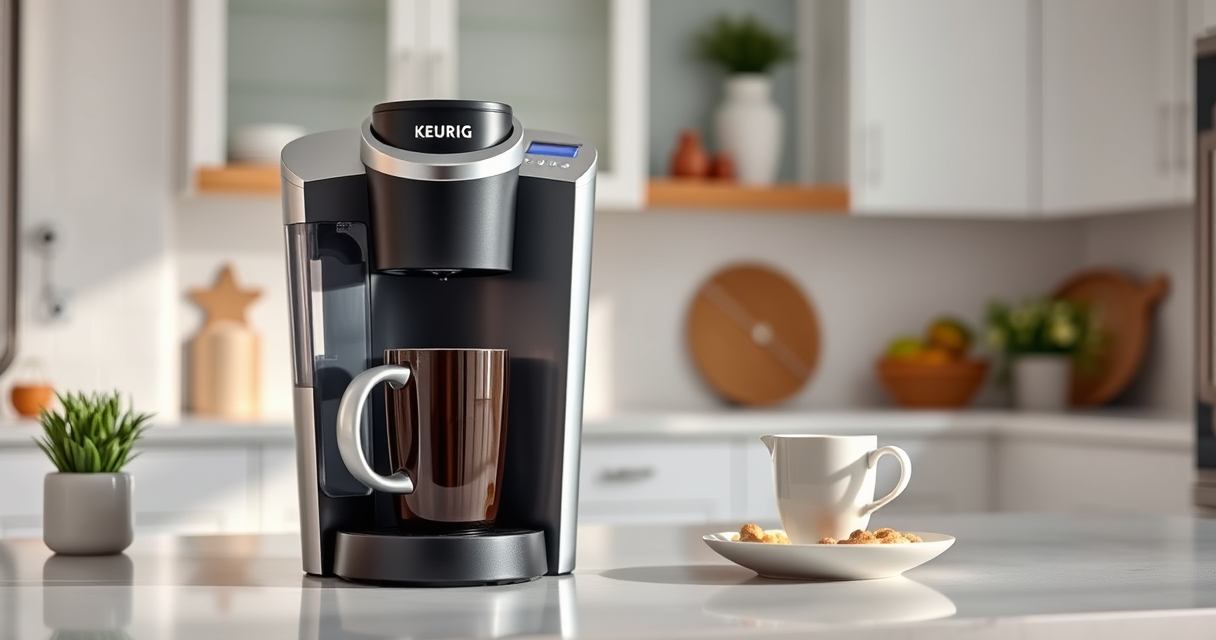
Keurig K-Mini Single Serve K-Cup Pod Coffee Maker
- ✔ Capacity: 6-12oz
- ✔ Width: Less than 5 inches
- ✔ Color: Matte Black

My K-Cup® Reusable Coffee Filter
- ✔ Material: Plastic
- ✔ Dishwasher Safe: Yes
- ✔ Compatibility: K-Mini
Keurig K-Mini Single Serve K-Cup Pod Coffee Maker
<p>The Keurig K-Mini Single Serve Coffee Maker is a sleek, space-saving device ideal for small kitchens or offices. Its simple design and easy maintenance make it a favorite among users who want fast, fresh coffee with minimal fuss.</p>
Pros:
- Compact size fits anywhere
- Brews 6-12oz cups quickly
- Removable drip tray for travel mugs
- Energy-efficient auto-off
Cons:
- No water filter system included
- Limited to single serve use
- No programmable features
Best for: Small spaces and quick coffee needs
Not ideal for: Large households or those needing multiple brew sizes
Bottom line: A compact, efficient coffee maker perfect for small spaces and quick brews.
My K-Cup® Reusable Coffee Filter
<p>The My K-Cup® Reusable Coffee Filter allows you to brew your favorite ground coffee with the Keurig K-Mini, giving you more control over your brew and reducing waste from single-use pods.</p>
Pros:
- Eco-friendly and cost-effective
- Brew any ground coffee you like
- Easy to clean
- Compatible with K-Mini
Cons:
- Requires separate purchase of ground coffee
- Slightly more maintenance
- Not compatible with all models
Best for: Coffee enthusiasts who prefer ground coffee
Not ideal for: Those who rely solely on K-Cup pods
Bottom line: A simple upgrade for ground coffee lovers seeking eco-friendly brewing.
Frequently Asked Questions
How often should I descale my Keurig K-Mini?
It’s recommended to descale your Keurig every 3 to 6 months, depending on your water hardness and usage frequency.
Can I use vinegar instead of descaling solution?
Yes, white vinegar is an effective and safe alternative for descaling, but be sure to rinse thoroughly afterward to remove any vinegar taste.
Why is my Keurig not brewing or dispensing water?
This could be due to mineral buildup, a clogged needle, or low water levels. Try cleaning the needle and descaling the machine.
Is it safe to clean the exterior with a damp cloth?
Absolutely. Just ensure the machine is unplugged, and avoid getting water into the electrical components.
How do I prevent mold or bacteria growth in my water reservoir?
Empty the reservoir daily, rinse it with warm water, and refill with fresh filtered water for each brew.
Keep Your Keurig K-Mini Brewing Perfectly Every Time
With regular maintenance and troubleshooting, your Keurig K-Mini can deliver consistently great coffee for years to come. Follow the steps outlined here to resolve common issues and keep your machine clean and efficient. Remember, proper care not only prolongs your device’s lifespan but also ensures each brew tastes as fresh and flavorful as the first. Happy brewing!
Affiliate disclosure: As an Amazon Associate we earn from qualifying purchases. Prices and availability are accurate as of the time of publishing.
Halloween Picks

HOPOCO Halloween Pumpkin Fog Machine with 12 LED Colors & 4 Light Modes

Fun Costumes Creepy Twin Boys Halloween Animatronic

Spirit Halloween 4 Ft. 6 In. Scary Sitting Scarecrow Animatronic
As an affiliate, we earn on qualifying purchases.